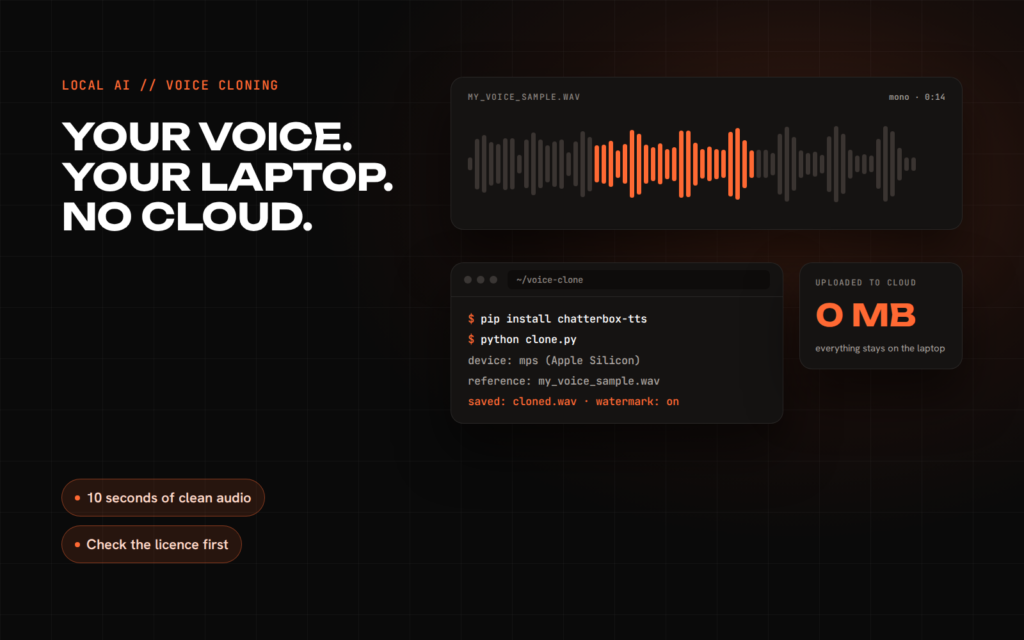
A year or two ago, cloning a voice convincingly meant sending audio to a paid cloud service. In 2026 you can do it on an ordinary laptop with open-source models, without your recordings leaving the machine. That is useful for narrating your own videos, prototyping a voice feature for a product, or reading back drafts in your own voice.
It is also exactly the kind of technology that gets misused, so this guide starts and ends with the same rule: clone your own voice, or a voice whose owner has clearly agreed. Nothing else.
The models worth trying
I checked the current repositories, model cards and licences for the main open options. Three stand out for local use on a laptop.
- Chatterbox by Resemble AI. MIT licence for both code and weights, so commercial use is allowed. English models plus a multilingual model covering 23 languages. It has an official example for Apple Silicon, and every file it generates carries an invisible watermark that can be detected later.
- Qwen3-TTS by Alibaba’s Qwen team. Apache-2.0 for code and weights. Clones from a clip as short as three seconds, in ten languages. The official package targets NVIDIA GPUs; on a Mac the easiest route is the community mlx-audio package.
- Pocket TTS by Kyutai. A small model of about 100 million parameters that runs on the CPU, which makes it the best choice for a laptop without a decent GPU. The weights are gated: you accept terms that forbid cloning a voice without explicit and lawful consent.
Two popular names need a warning. F5-TTS and XTTS-v2 both produce good results, but their model weights are licensed for non-commercial use only. The code licence is permissive, the weights licence is not, and it is the weights that matter. If you might ever use the output in paid work, start with one of the three above.
Step 1: record a good sample
The reference recording matters more than the model. A bad sample gives you a clone of your room, your microphone and your keyboard.
- Record 10 to 30 seconds of natural speech. Most models need far less, but a clean longer clip gives you room to trim.
- Use a quiet room with soft furnishings, not a kitchen. A decent USB or headset microphone beats a laptop microphone.
- Speak the way you want the clone to sound: same pace, same energy, no reading voice if you want conversational output.
- Save it as a mono WAV file. Some models also want a transcript of exactly what you said, so keep one.
Step 2: install and run Chatterbox
Chatterbox installs with pip and needs Python 3.10 or newer. Use a fresh virtual environment so its pinned PyTorch version does not clash with other projects.
python3.11 -m venv .venv
source .venv/bin/activate
pip install chatterbox-tts
Then a minimal script. On a Mac with Apple Silicon it uses the GPU through PyTorch’s mps backend, and falls back to the CPU elsewhere.
import torch
import torchaudio as ta
from chatterbox.tts import ChatterboxTTS

device = "mps" if torch.backends.mps.is_available() else ("cuda" if torch.cuda.is_available() else "cpu")
model = ChatterboxTTS.from_pretrained(device=device)

text = "This is my own voice, generated locally on my laptop."
wav = model.generate(text, audio_prompt_path="my_voice_sample.wav")
ta.save("cloned.wav", wav, model.sr)
The first run downloads the model weights, so give it a few minutes. After that, everything stays on your machine. If you run into loading errors on a Mac, the repository’s example_for_mac.py shows the small adjustment needed when loading weights onto mps.
No GPU? Use Pocket TTS
If your laptop has no usable GPU, Pocket TTS is the practical choice. Kyutai reports it running about six times faster than real time on a MacBook Air M4 using two CPU cores. After accepting the terms on its Hugging Face page:
pip install pocket-ttsimport scipy.io.wavfile
from pocket_tts import TTSModel
model = TTSModel.load_model()
voice = model.get_state_for_audio_prompt("./my_voice_sample.wav")
audio = model.generate_audio(voice, "Hello, this is a quick local test.")
scipy.io.wavfile.write("cloned.wav", model.sample_rate, audio.numpy())Getting better results
- Trim the sample. Cut breaths, clicks and silence at the start and end.
- Write for speech. Short sentences and natural punctuation produce better rhythm than long written paragraphs.
- Generate in chunks. Long texts drift. Generate a paragraph at a time and join the files.
- Try two or three samples. The same model can sound noticeably different with a calmer or more energetic reference clip.
The rules you cannot skip
Voice cloning is not a grey area when it comes to consent. Clone your own voice, or the voice of someone who has agreed in writing to exactly the use you have in mind. Beyond ethics, the law is catching up:
- EU AI Act, Article 50, which applies from 2 August 2026, requires synthetic audio from AI systems to be marked in a machine-readable way and detectable as artificially generated, and requires people who publish deep fakes to disclose them.
- In the US, the FCC ruled in 2024 that AI-generated voices count as artificial voices under telephone consumer protection law, so robocalls using cloned voices need prior consent.
- Model terms such as Pocket TTS’s explicitly prohibit cloning without consent, and Chatterbox watermarks its output so it can be traced.
If you publish cloned audio, say that it is AI-generated. It costs nothing and it keeps you on the right side of both your audience and the law.
Local voice is one of many AI features that are now practical to run on your own hardware or servers instead of paying per minute to a cloud API. If you are weighing that trade-off for a product, book a free 30-minute call, or see the AI products I build.
Sources: Chatterbox (Resemble AI) · Qwen3-TTS · mlx-audio · Pocket TTS (Kyutai) · F5-TTS · XTTS-v2 model card · EU AI Act, Article 50 · FCC Declaratory Ruling 24-17