WordPress to HubSpot:
The Migration.
Eight years of WordPress moved onto HubSpot CMS. The templates were the easy part. The eight years of URLs underneath them were not.
Role
Migration Lead
Stack
WordPress REST, HubL, HubSpot CMS API
Timeline
10 Weeks
Scope
Templates, Content, Redirects
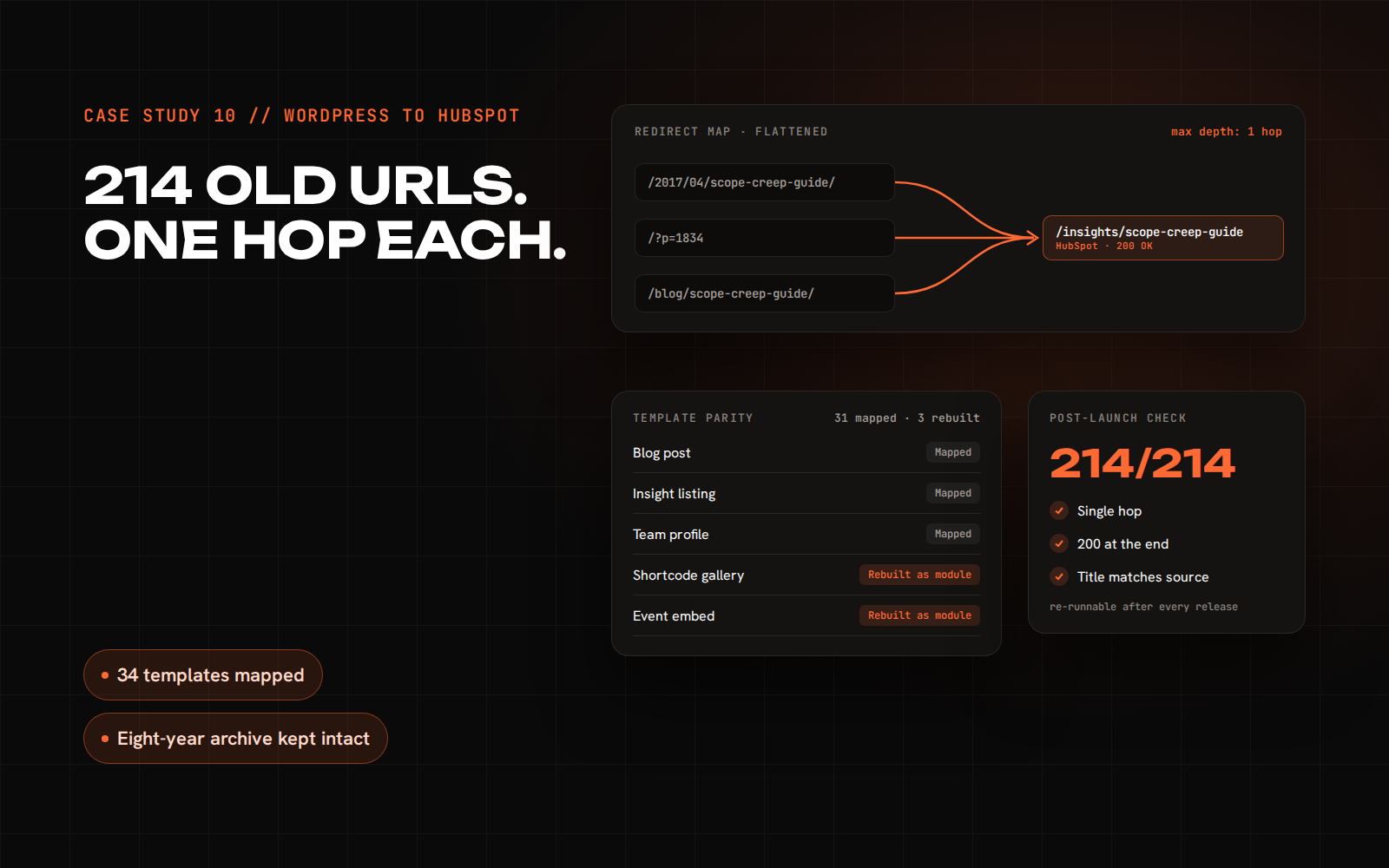
Fig 0.1 – Template parity map: direct mappings against templates rebuilt as modules.
01 // The Problem
The Archive
Was The Risk.
The client is a professional services firm of around a hundred and twenty people. They had already bought HubSpot and wanted the marketing platform and the website on the same system. Nobody was worried about the templates. The risk sat in the archive: eight years of published insight pieces that ranked, that partners linked to, and that clients still arrived through. Move a site like that carelessly and you do not notice the damage for a quarter, at which point it is hard to attribute and harder to reverse.
02 // What I Did
Thirty-Four
Templates Mapped.
I mapped every template in the old theme to a HubSpot equivalent before writing anything. Thirty-one mapped across directly. Three had to be rebuilt as modules because they leaned on WordPress shortcodes, and HubL has no equivalent to a shortcode that runs arbitrary PHP at render time. Content moved through the WordPress REST API, then a transform step that rewrote Gutenberg block classes into theme classes so the imported body HTML inherited the new design system instead of carrying the old one with it. The import ran through the HubSpot CMS blog API.
03 // The Hard Part
Eight Years
Of URL Shapes.
The old site had generated permalinks in three different shapes over its life, and previous cleanups had already pointed some of the old shapes at each other. That meant a single post could have three historical URLs, one of which redirected to a second, which redirected to the live one. Copying that structure across would have carried the chains onto the new platform, and every extra hop is latency and lost signal. I generated the redirect set from the permalink history in the database rather than typing it, then flattened every chain so each of the two hundred and fourteen old URLs resolves to its destination in a single hop.
04 // Proving It Landed
Checking All
Two Hundred.
Spot checking a redirect set is how you find out six weeks later that a whole template family broke. I pulled every URL from the old sitemap and the server access logs, then requested each one against the new site and asserted three things: a single hop, a 200 at the end, and a destination whose title matched the source. That surfaced eleven cases the mapping had missed, mostly paginated archive URLs nobody had thought about because no human browses to page seven. Running it as a script meant it could run again after launch, which is when redirect sets usually quietly rot.
The Migration.
Counted from the template map and the generated redirect set, not from a ranking report.