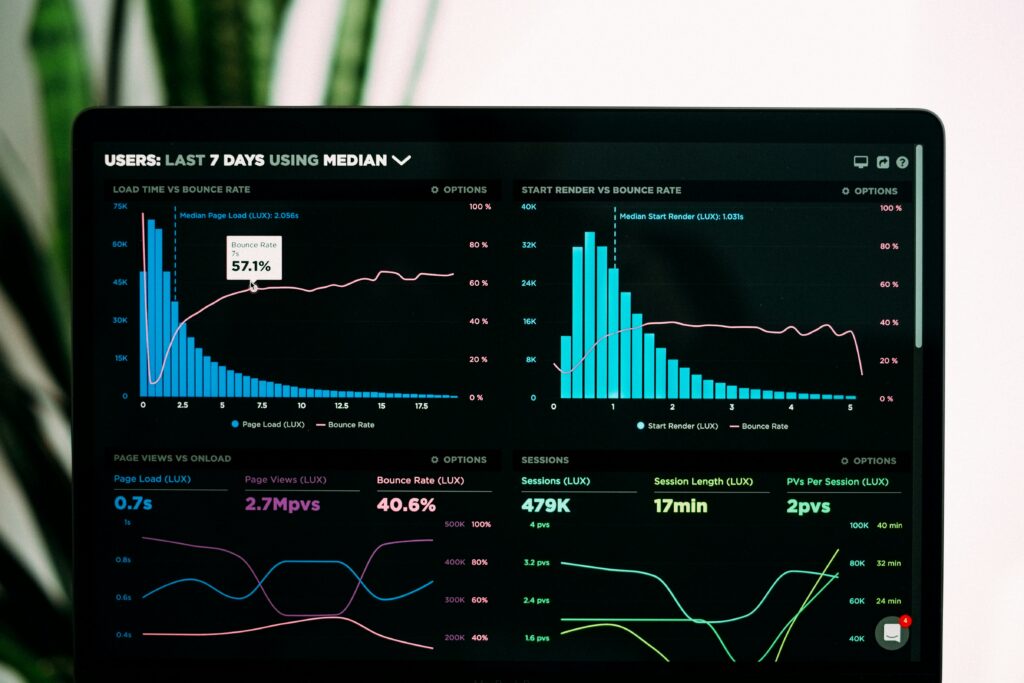
Here’s something that drives me crazy: companies will spend thousands on Google Ads every month while completely ignoring the bad UX on their landing pages. They obsess over bid strategies, ad copy, and keyword targeting — but their landing page experience is actively working against them. The result? An inflated Google Ads cost that eats into margins, a tanking quality score, and a CPC that climbs higher every quarter. The connection between user experience, bounce rate, conversion rate, and ad spend is one of the most overlooked levers in digital marketing. Let me show you exactly how this works — and how much it’s probably costing you.
How Google Ads Quality Score Actually Works
Before we get into the UX stuff, let’s make sure we’re on the same page about Quality Score. Google assigns a Quality Score (1-10) to each of your keywords based on three factors:
- Expected click-through rate (CTR): How likely people are to click your ad
- Ad relevance: How well your ad matches the searcher’s intent
- Landing page experience: How useful and relevant your landing page is after the click
That third one — landing page experience — is where UX enters the equation. And it’s not just a minor factor. Google has been steadily increasing the weight of landing page experience in its Quality Score calculations. In 2026, it’s arguably the most impactful of the three.
Here’s the kicker: Quality Score directly affects your cost per click. A keyword with a Quality Score of 10 can cost you up to 50% less per click than the same keyword with a Quality Score of 5. And a Quality Score below 5? You’re paying a premium — sometimes 200-400% more than you should be.
What Google Considers “Landing Page Experience”
Google doesn’t just glance at your landing page and make a gut call. Their systems evaluate several concrete factors:
- Page load speed: Core Web Vitals metrics — LCP, FID/INP, CLS. If your page is slow, your score drops. Period. I covered this extensively in my Core Web Vitals optimization guide.
- Mobile responsiveness: Is the page usable on mobile? Not just “does it resize” — is it actually usable?
- Content relevance: Does the landing page content match what the ad promised?
- Navigation and usability: Can users easily find what they need? Is the page structure logical?
- Transparency and trustworthiness: Clear contact information, privacy policy, visible business identity
Notice how most of these are UX factors? Page speed, mobile usability, navigation, structure — these are all things that a UX-focused development approach would address. And yet, most PPC teams never even talk to their development team about these issues.
The Math: How Bad UX Inflates Your CPC
Let me walk through a real scenario. Say you’re bidding on a keyword with an average CPC of $5.00. Here’s what your actual cost looks like at different Quality Scores:
- Quality Score 10: ~$2.50 per click (50% discount)
- Quality Score 8: ~$3.75 per click (25% discount)
- Quality Score 6: ~$5.00 per click (baseline)
- Quality Score 4: ~$7.50 per click (50% premium)
- Quality Score 2: ~$12.50 per click (150% premium)
Now let’s say you’re spending $10,000/month on Google Ads and your average Quality Score is 4 instead of 8. That means you’re effectively paying $7.50 for clicks that could cost you $3.75. You’re literally paying twice as much per click because of poor landing page quality.
Over a year, that’s $60,000 in wasted ad spend. Sixty thousand dollars. For most businesses, that’s enough to fund a complete website redesign with money left over.
Bounce Rate: The Silent Budget Killer
Google tracks what happens after someone clicks your ad. If they immediately bounce back to the search results, that’s a strong signal that your landing page didn’t deliver. High bounce rates from ad traffic feed back into your Quality Score, dragging it down further.
But bounce rate isn’t just a Quality Score problem — it’s a direct waste of money. Every bounce is a click you paid for that generated zero value. If your landing page has a 70% bounce rate, you’re throwing away 70 cents of every dollar you spend on ads.
Common UX issues that cause bounces on landing pages:
- Slow load times: 53% of mobile users abandon a page that takes longer than 3 seconds to load. If your LCP is 5+ seconds, you’re losing over half your paid traffic before they even see your content.
- Confusing above-the-fold content: Users need to understand what you offer within 3 seconds of landing. If your hero section is vague or cluttered, they’re gone.
- Aggressive popups and interstitials: Nothing says “leave immediately” like a full-screen popup before the page even finishes loading.
- Poor mobile experience: Tiny tap targets, horizontal scrolling, text that’s too small to read — these are conversion killers on mobile, and most Google Ads traffic is mobile.
- Mismatch between ad and page: If your ad says “Free consultation” and the landing page leads with a pricing table, that’s a guaranteed bounce.
Page Speed: The Most Undervalued PPC Optimization
Let me throw some numbers at you. Research from Google and various industry studies consistently shows:
- A 1-second delay in page load reduces conversions by 7%
- Pages that load in 2 seconds have an average bounce rate of 9%. Pages that take 5 seconds? 38%.
- A 100ms improvement in LCP can increase conversions by up to 2%
- Mobile pages that load in under 2.5 seconds see 15% more conversions than pages loading in 4+ seconds
Now apply those percentages to your ad spend. If you’re driving 10,000 visitors per month through Google Ads and your page speed is costing you 20% of those conversions, how many leads or sales are you leaving on the table?
The irony is that speed optimization is often one of the cheapest improvements you can make. Compress your images, lazy-load below-the-fold content, minimize your CSS and JavaScript, and you can see dramatic improvements. I wrote a comprehensive breakdown in my Core Web Vitals optimization guide if you want the technical details.
Accessibility: The UX Factor Everyone Forgets
Here’s one that almost nobody in the PPC world thinks about: accessibility. If your landing page isn’t accessible, you’re excluding a significant portion of your paid traffic from converting. We’re talking about 15-20% of the population that has some form of disability.
But it goes beyond just excluding disabled users. Many accessibility best practices — proper heading structure, clear labels, sufficient color contrast, logical tab order — improve the experience for everyone. They make your page easier to scan, easier to understand, and easier to act on. I covered the full spectrum of web accessibility best practices in a separate article, and a lot of those recommendations directly impact conversion rates.
Google also considers accessibility signals as part of their landing page experience evaluation. Proper semantic HTML, ARIA labels, and keyboard navigation aren’t just nice-to-haves — they’re factors that can improve your Quality Score.
The Conversion Rate Multiplier Effect
Here’s where the math gets really interesting. Improving UX doesn’t just reduce your CPC through better Quality Scores — it also increases your conversion rate. And when both improve simultaneously, the effect on your cost per acquisition (CPA) is multiplicative.
Example: Let’s say your current numbers are:
- CPC: $7.50 (because of a Quality Score of 4)
- Conversion rate: 2% (because of poor UX)
- Cost per conversion: $375
Now you invest in UX improvements. Your landing page loads faster, has clear CTAs, works beautifully on mobile, and has proper accessibility. Your new numbers:
- CPC: $4.00 (Quality Score improved to 7)
- Conversion rate: 4% (doubled by better UX)
- Cost per conversion: $100
Same keywords. Same ad copy. Same budget. But your cost per conversion dropped from $375 to $100 — a 73% reduction. That’s the power of attacking both sides of the equation.
Practical Steps to Fix Your Landing Page UX
Alright, enough theory. Here’s what you should actually do:
- Audit your Core Web Vitals: Run every landing page through PageSpeed Insights. Fix any red flags on LCP, INP, and CLS first.
- Test on real mobile devices: Not just Chrome DevTools. Get your phone out and actually try to complete the conversion action.
- Simplify above-the-fold: One clear headline, one clear value proposition, one clear CTA. That’s it.
- Remove friction from forms: Every unnecessary field costs you conversions. If you don’t absolutely need it, cut it.
- Match ad promise to page delivery: Audit every ad group and make sure the landing page headline mirrors the ad copy.
- Kill the popups: Especially on mobile. Especially on pages receiving paid traffic.
- Add social proof near CTAs: Testimonials, review counts, trust badges — right next to where you’re asking people to convert.
- Check accessibility basics: Color contrast, form labels, keyboard navigation, alt text on meaningful images.
The ROI of UX Investment
I’ve seen companies cut their Google Ads CPA by 40-60% through landing page UX improvements alone. Not by changing their bid strategy. Not by finding new keywords. Just by making the landing page better.
Think about it this way: if you’re spending $10,000/month on Google Ads, even a 30% improvement in efficiency gives you $3,000/month back. That’s $36,000/year. The cost of a proper landing page redesign with UX focus? Usually $5,000-$15,000 as a one-time investment. The ROI is insane.
Stop treating your landing pages as an afterthought. They’re not just where your ads point to — they’re the single biggest lever you have for making your ad budget work harder. Fix the UX, and watch your Quality Scores climb, your CPCs drop, and your conversion rates jump. That’s not a theory — that’s just how Google’s system works.
If your landing pages run on WordPress, start with my Core Web Vitals optimization guide to get the performance side locked down. It covers everything from server-level caching to image optimization to JavaScript deferral strategies.